Guide for installers
With your own link, your customers check their subsidy themselves and send you the result with all their answers. You save explanations on the phone and get prepared requests. Free.
- 1
Create an account
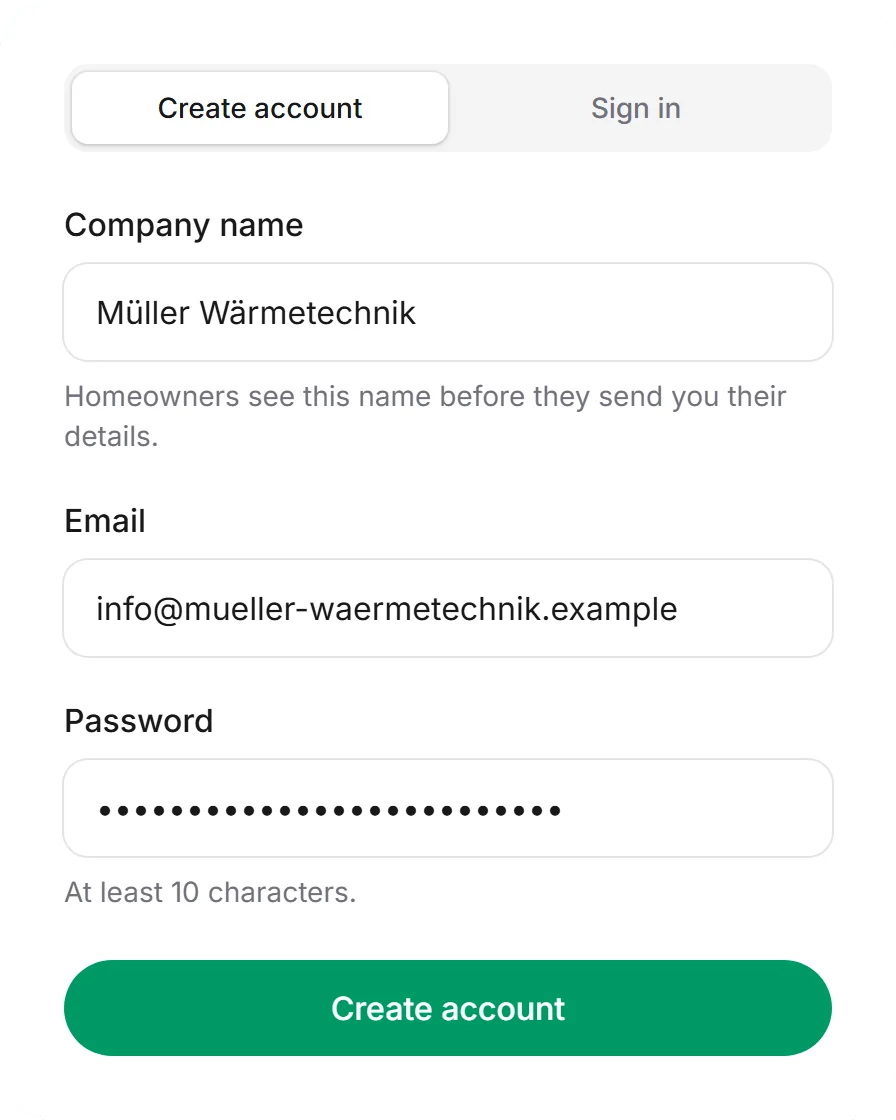
Open “For installers” at the top and create an account: company name, email and a password of at least 10 characters. Your customers see the company name.
- 2
Confirm your email
We send you a confirmation link. Only after confirming do you get an email when a new request arrives.
No email? Check your spam folder or click “Send the link again”.

- 3
Share your link
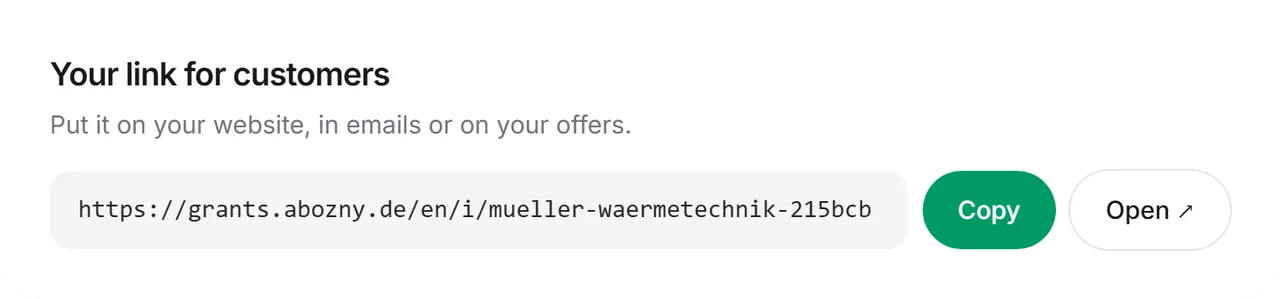
Your account shows your personal link. “Copy” puts it on your clipboard, for your website, email signature, offers or as a QR code on a flyer.
- 4
What your customer sees
Through your link the customer sees the same subsidy check with this note. They answer the questions and see their subsidy and the steps to apply.

- 5
The customer sends you their result
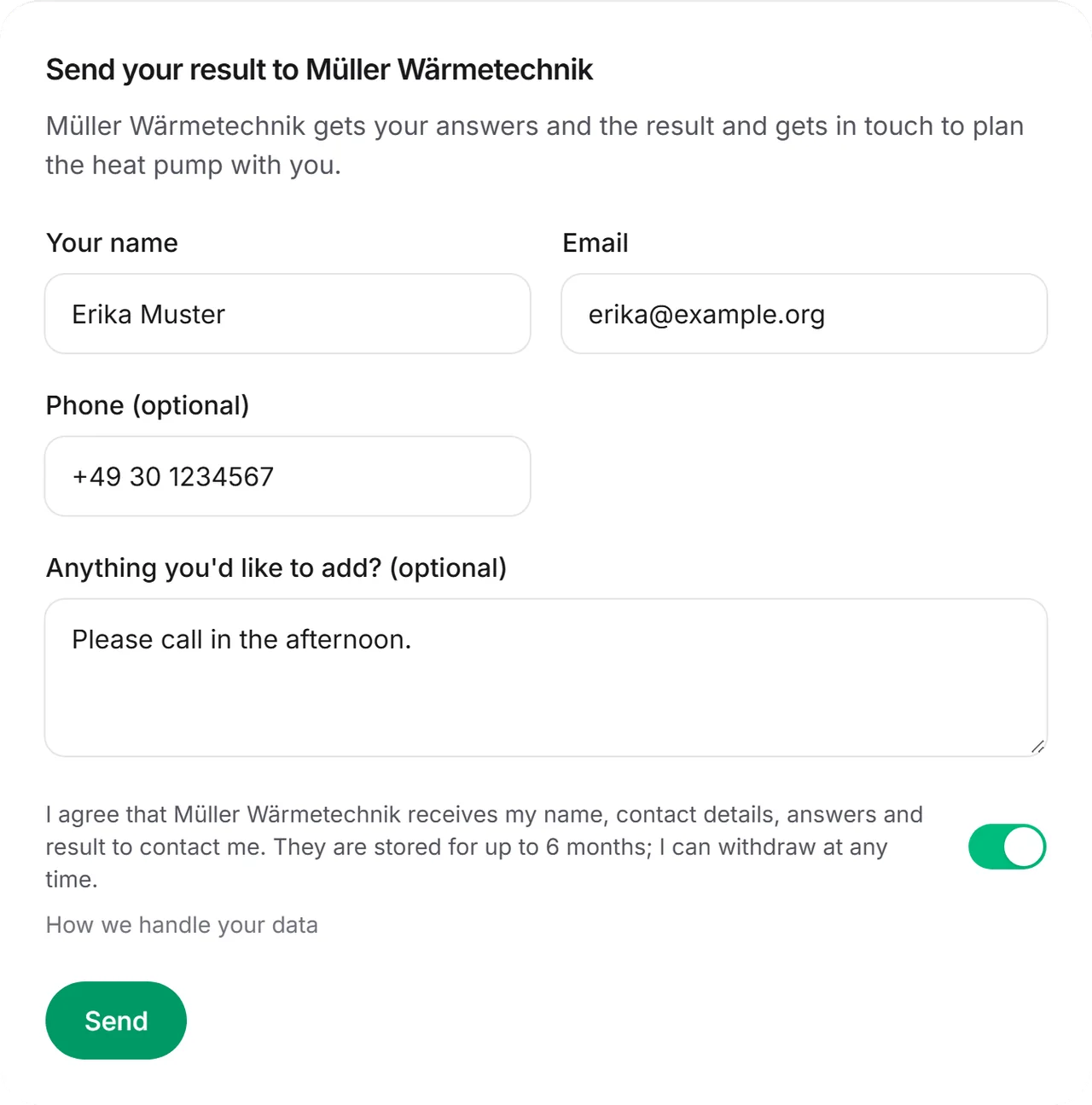
Below the result they can send you their name, email, optionally a phone number and a message, only with their explicit consent.
We recalculate the subsidy ourselves when it is sent, so you always see the result under the official rules.
- 6
Handling requests
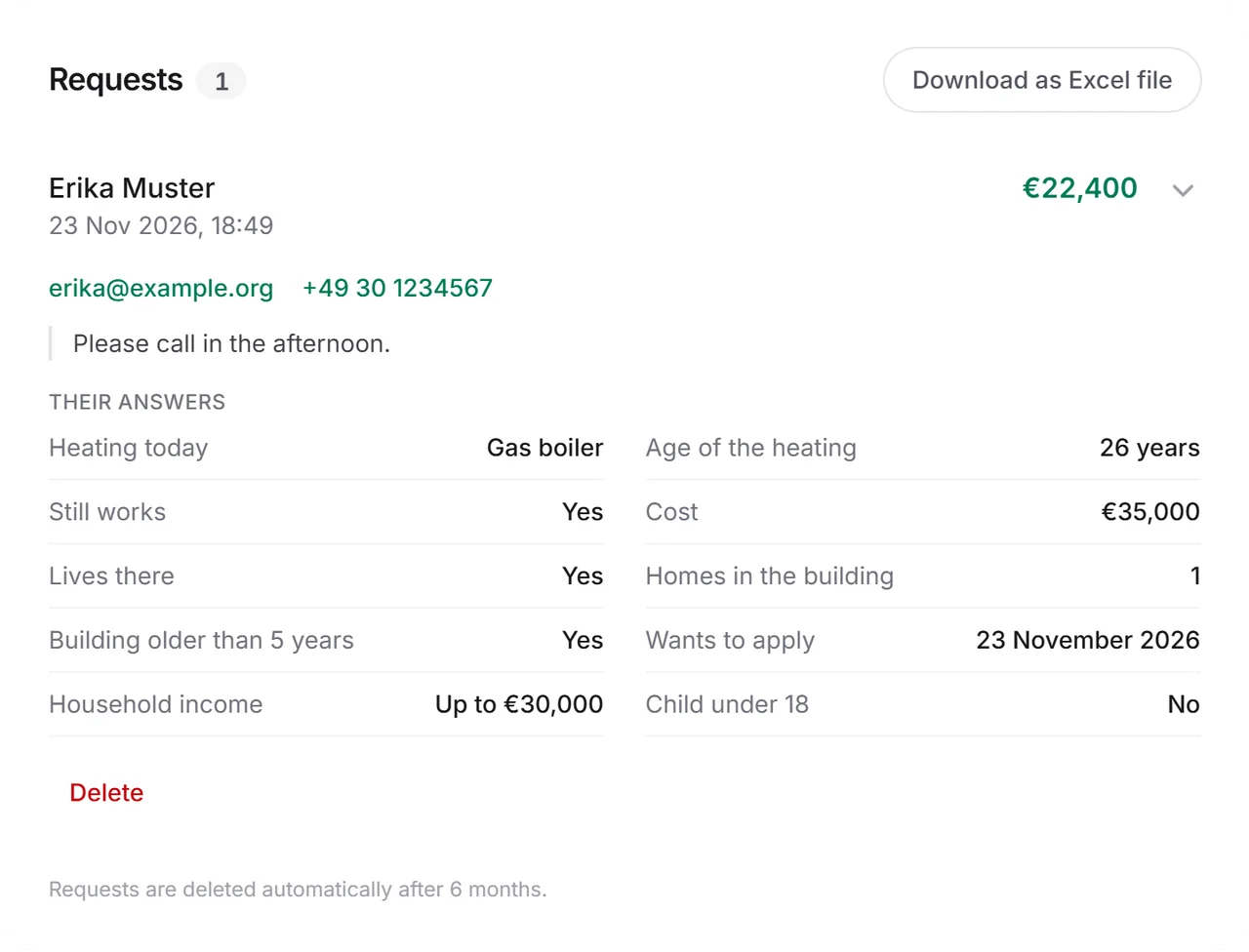
You get an email with a link to your account; customer data is not in the email. In your account you see every request with contact details, subsidy and all answers.
Clicking the email or phone number opens your mail program or dials. “Download as Excel file” saves all requests as a spreadsheet.
Good to know
- Requests are deleted automatically after 6 months. Copy what you need into your own system. You can also delete requests yourself.
- Once you receive a request, you are responsible for any further use of the data (GDPR). Use it only to answer that request.
- Forgot your password? Under “Sign in” you find “Forgot your password?”. The link works for 60 minutes.
- Free test phase: the account costs nothing. Questions and photo reading are limited per day for all users.
- Delete your account at the bottom of your account page. All requests are deleted at once.